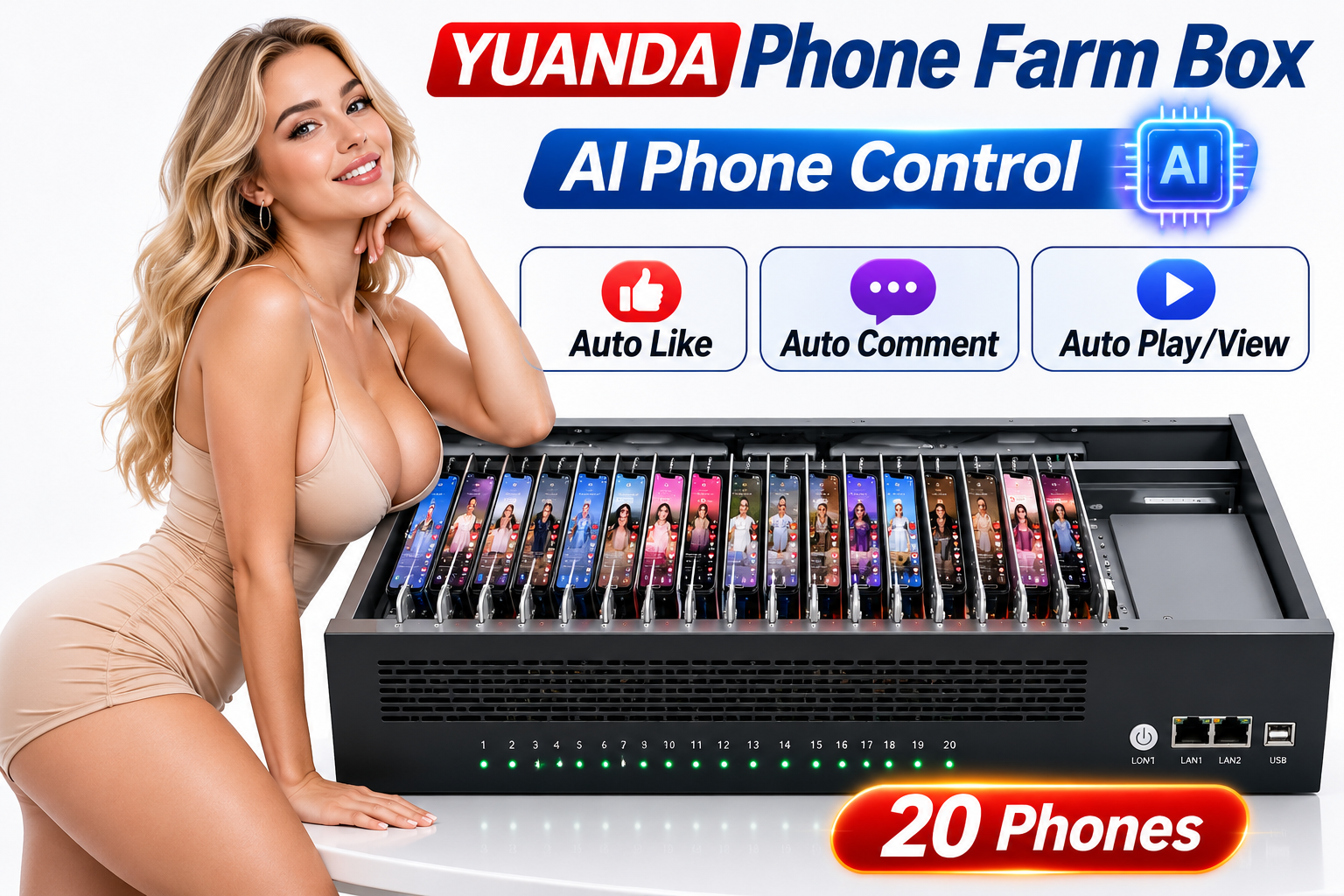
Screens, computers and complete handsets shown are illustrative. A standard kit contains 20 phone motherboards and one chassis; confirm the ordered accessories.
YUANDA · Xiaomi
Xiaomi 8 Phone Farm Box | 20-Board Android Device Farm
Configure a phone farm box around Xiaomi 8 motherboards for app testing, device management and compatible social media workflows. Select the memory configuration and discuss your software requirements with YUANDA.
No SIM or camera support- Phone motherboard
- Xiaomi 8
- RAM / storage options
- 6 GB + 128 GB / 8 GB + 128 GB
- Android / system configuration
- Confirm the available configuration
- Configuration
- Standard quote basis: 20 phone motherboards + 1 standard chassis.
- SIM / Camera
- Not supported
Request current pricing
Confirm the model, configuration and destination for an accurate quotation.
Model and memory options come from the supplied YUANDA catalog. Availability, Android version and configuration must be confirmed before purchase.
YUANDA · YOUTUBE
Watch product videos
AI Agent · API · Auto.js
AI conversations. Real phone actions.
YUANDA Phone Farm Box supports AI Agent integration and open developer API interfaces through compatible control software. Connect your AI service, describe a task in chat, and automate individual phones or device groups.
Connect your AI Agent
Connect ChatGPT, Claude, DeepSeek or another compatible AI agent to your phone farm using the control software and its supported API interfaces.
Open developer API interfaces
Integrate your own scripts, agent tools or management system with supported phone-control actions through the control software’s developer APIs.
Automate with Auto.js
Create reusable Android scripts for tapping, swiping, text entry and app workflows. Run supported Auto.js tasks on a selected phone or device group.
Control phones through conversation
Describe the task in chat. Your configured AI connector translates the request into supported commands or scripts and passes them to the selected Android devices.
From conversation to phone automation
Describe your task
Choose a phone or device group and tell the AI what you want to do.
AI Agent + control software
Use the developer API or Auto.js script path configured for your setup.
Android device actions
Run supported actions on one phone or multiple connected devices.
Example instructions after configuration
Open my test app on the selected phones.
Run my Auto.js navigation test on device group A.
GETTING STARTED WITH YUANDA
Phone Farm Box basic operation demo
Watch the basic operation demonstration supplied by YUANDA, then ask us about the hardware and control software for your setup.
Open the demonstration videoYUANDA
See the control software in action
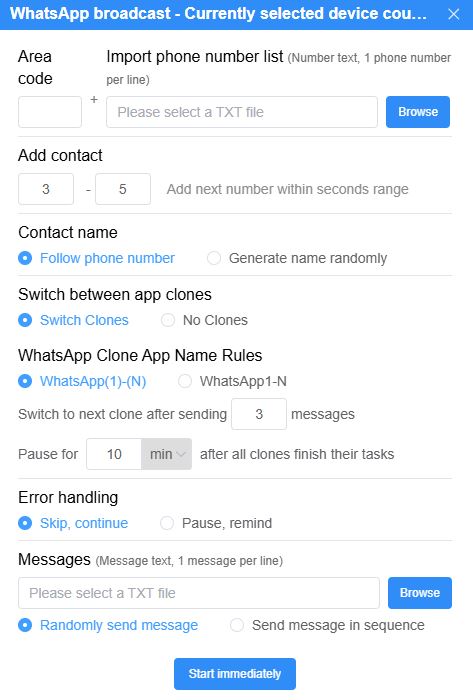
Actual YUANDA software screenshots show multi-device management and selected social media automation settings. Social media automation features are available in the paid version; supported tools also depend on the app version.
Software versions and language support
The control software supports 18 languages.
Free version
A free version is available. Social media automation features are provided in the paid version.
Paid version
US$43 / year
Includes social media automation features.
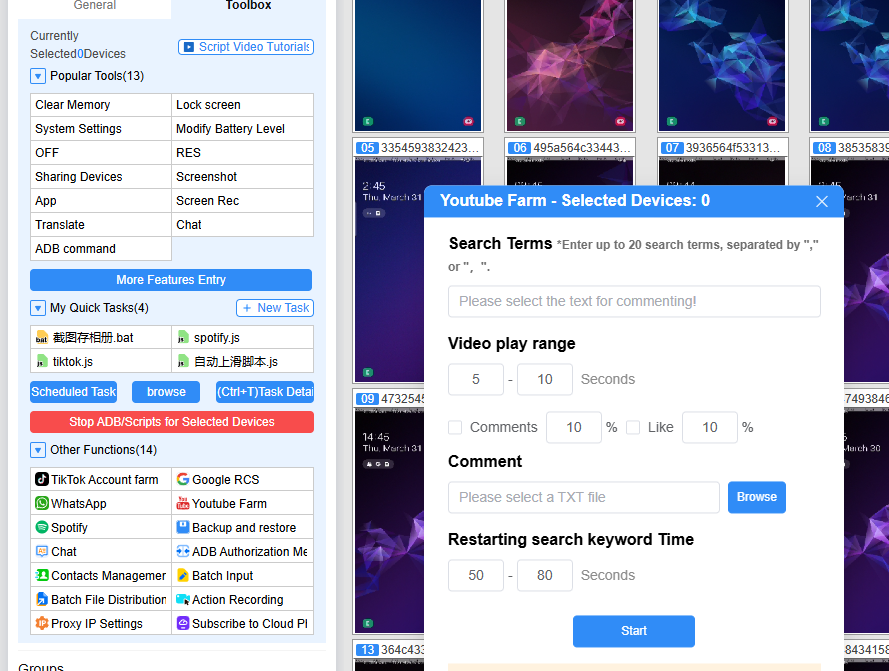
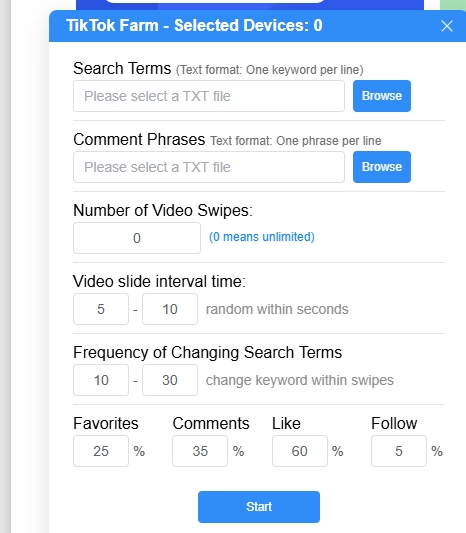
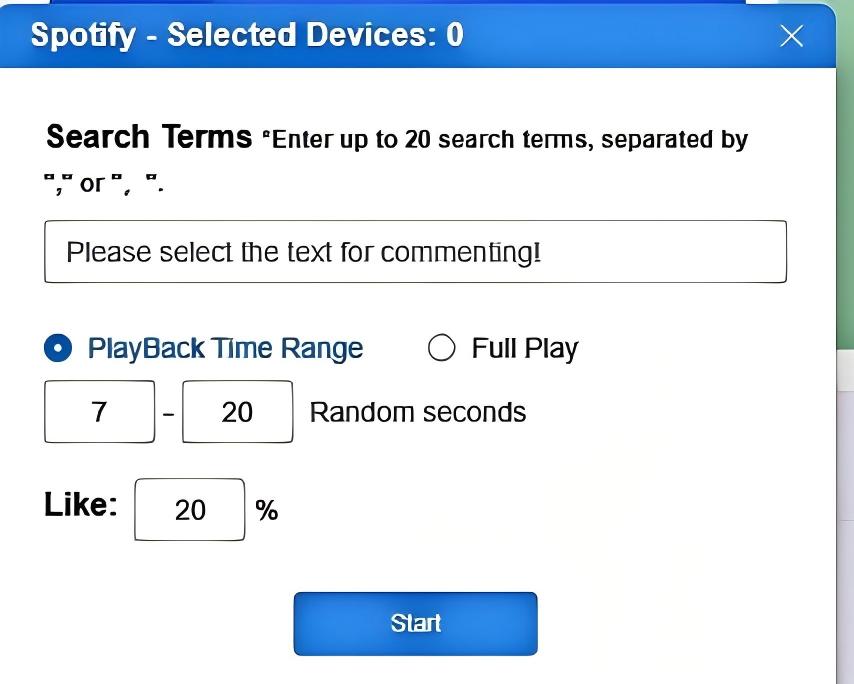
Hardware, software & everyday workflows
Explore the Xiaomi 8 phone farm box
A compact workspace for managing real Android motherboards from a computer. Review what is included, how group control works and which configuration fits your applications before ordering.
What is a phone farm box?
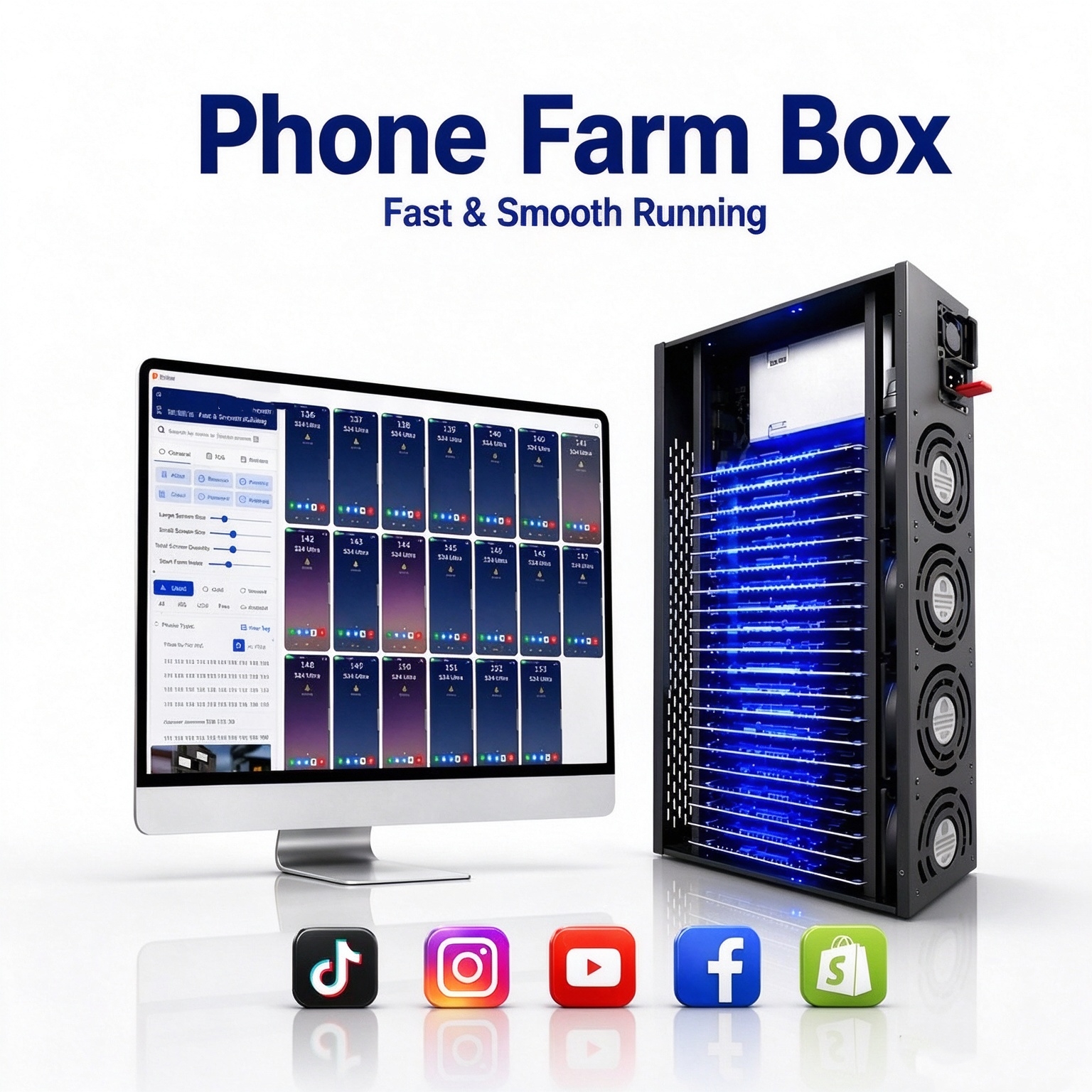
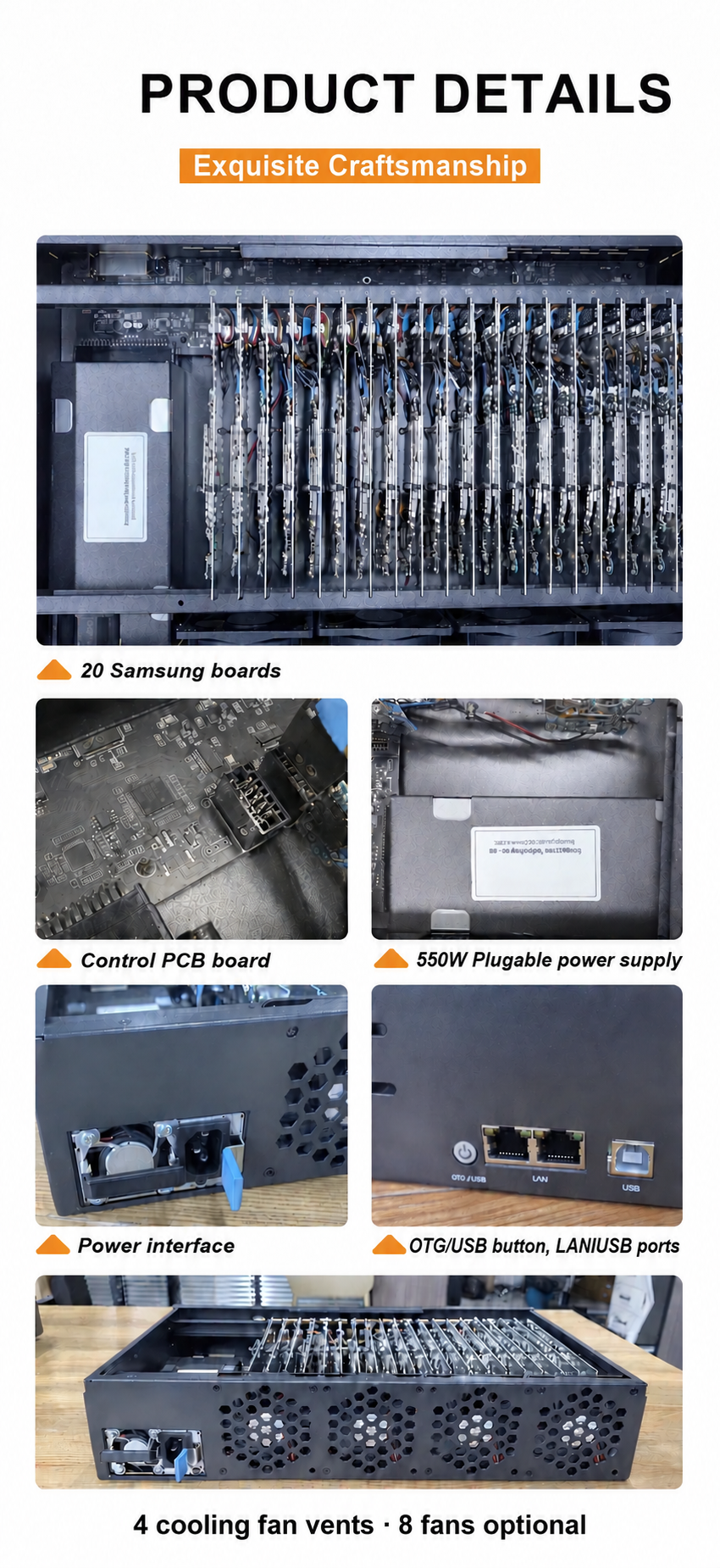
A standard box integrates 20 mobile phone motherboards into one chassis. The original screens, batteries and phone housings are removed; this standard version does not include working cameras or SIM connectivity. Each motherboard runs its own Android environment, while computer control software provides individual access and synchronized group operations. The chassis and board capacity are fixed for the selected configuration.
What is included in your package?
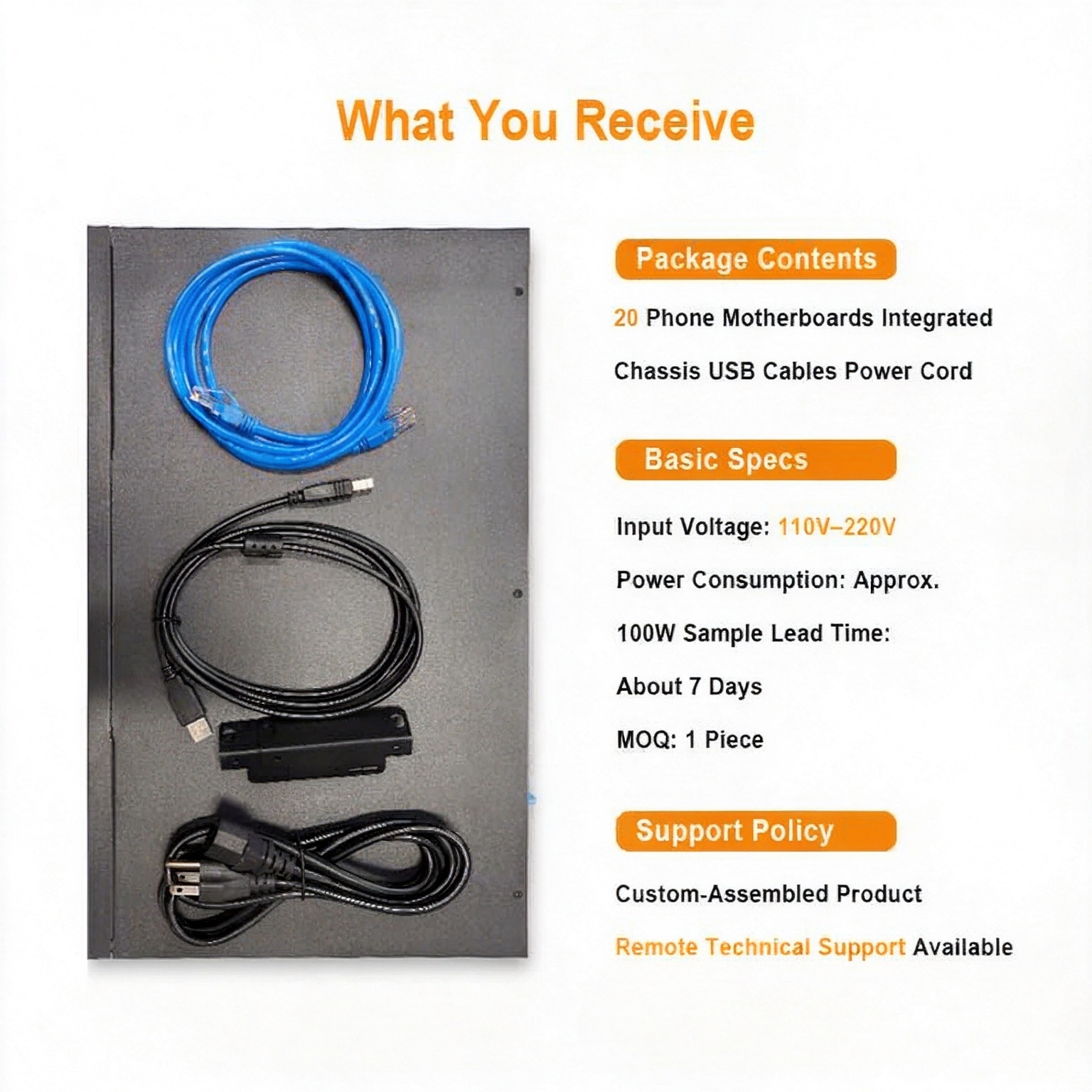
- One assembled chassis with 20 phone motherboards in the confirmed model and memory configuration.
- USB connection cable for linking the box to a compatible computer.
- Box power cord, with a plug specification supplied according to customer requirements.
- Advanced control management software is available in free and paid versions. The paid version costs US$43 per year and includes social media automation features. The software supports 18 languages.
The computer, monitor, router, proxy subscriptions and third-party app accounts are purchased separately unless your quotation explicitly includes them. Confirm software licensing, optional modules and accessories with your order.
Individual control and batch automation
One device or a whole group
Operate one Android motherboard independently, synchronize the same action across a selected group, or assign different tasks to different devices. One operator can manage the 20 devices from a shared computer workspace.
APK and file management
Use compatible control software or other ADB tools for batch APK installation, file transfer, device selection and routine management. Keep app versions and test materials organized across your device group.
Auto.js and scheduled tasks
Run compatible Auto.js scripts and use supported task-management functions for scheduled or repeated operations. Scripts, permissions and app versions must be configured and tested for your chosen Android build; available automation depends on the installed software.
Plan a multi-box setup
A planning reference is 3–5 boxes per computer. Actual capacity depends on computer performance, USB-controller resources, network bandwidth and the workload. Larger installations can be organized across additional computers and network equipment.
USB, OTG / LAN and network connections
USB mode connects the box to the computer using the supplied USB cable for device control.
Supported OTG / LAN configurations can connect through a router and network cable. Choose the connection mode supported by the ordered chassis and control software; follow the setup tutorial before switching modes.
The router supplies network access. A compatible VPN or proxy configuration can route device traffic through a selected external exit IP; these services and their configuration are separate from the motherboard hardware.
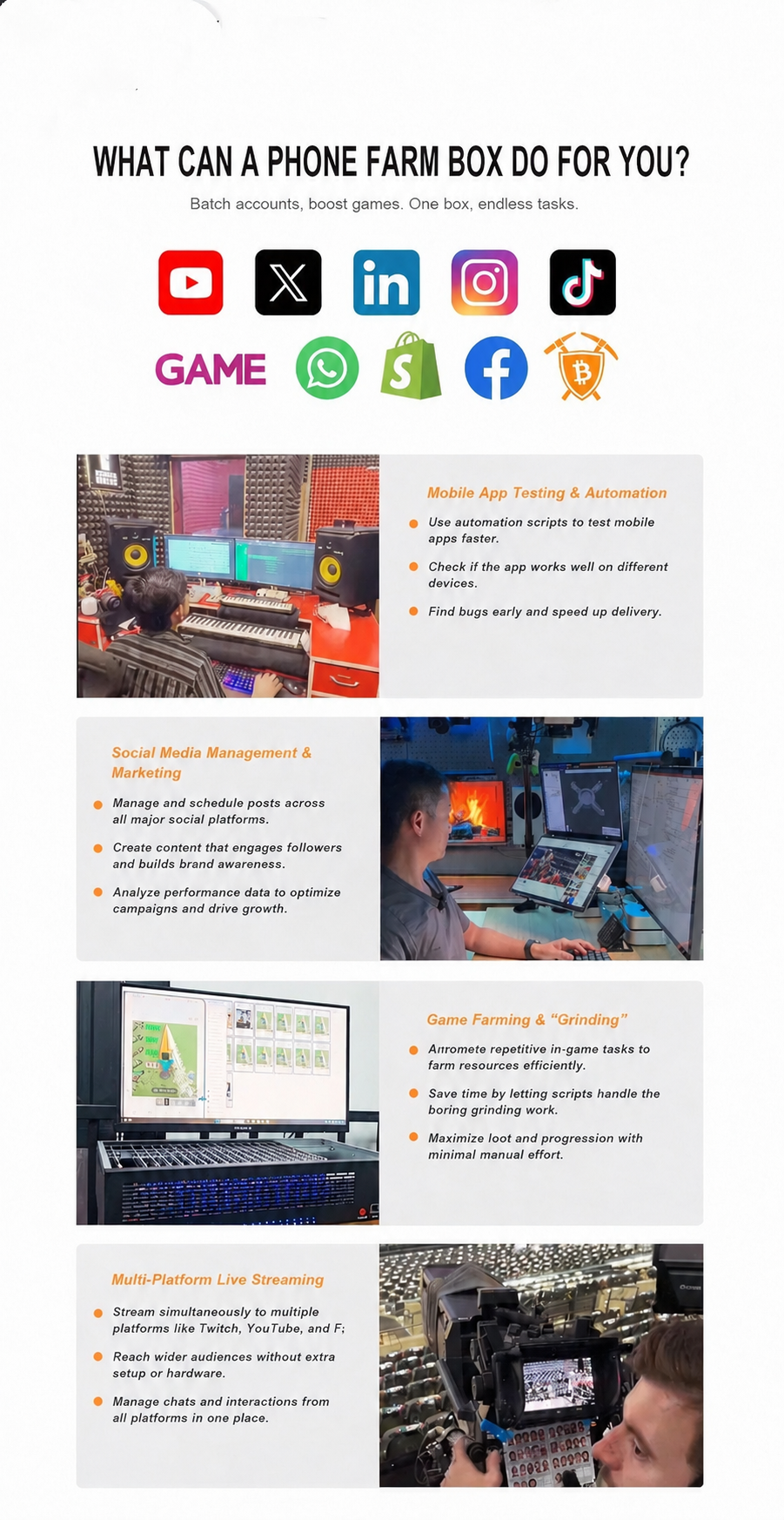
Practical applications for a phone farm box
Android development and automation testing
Reproduce bugs on real Android hardware, compare app behavior across supported Android builds, run regression scripts and perform authorized service or application stress tests.
Social media and creator workspaces
Organize authorized TikTok, Instagram, Facebook, YouTube, WhatsApp, Telegram and X accounts. Use compatible workflows for content preparation, publishing, inbox review and campaign coordination across your own or client-authorized accounts.
E-commerce store operations
Provide separate Android workspaces for approved seller accounts, product-listing workflows, order checks and routine operations on compatible commerce apps, including Amazon and Shopee.
Multi-account customer service
Bring authorized customer-service accounts into one computer workspace so a team member can switch between conversations and business workflows with less physical device handling.
Game testing and account management
Manage separate game accounts, review device performance and run permitted repetitive workflows or resource-gathering tasks. Game rules and the compatibility of each automation script still apply.
Music and media workflows
Manage authorized music-service accounts and test playback, app behavior or content workflows on real Android devices. Spotify and other service automation must follow the relevant account permissions and platform rules.
Remote device services
Build a hardware base for remote Android access or device-rental services. Remote access, user permissions, networking and service-management software need to be designed for the deployment.
Equipment and shipping reference
- Installed devices
- 20 phone motherboards per standard box; confirm the selected configuration.
- Input voltage
- AC 110–220 V input. Different power plug specifications are available according to customer requirements.
- Power consumption
- Approximately 100 W per box in the supplied gaming-use reference. Actual consumption varies by motherboard, workload and accessories.
- Reference carton size
- 55 × 38 × 16 cm. Final packaging dimensions depend on the ordered chassis and accessories.
- Reference packed weight
- Approximately 7 kg. Confirm the final shipping weight with your quotation.
- Computer planning reference
- 3–5 boxes per PC, subject to computer, controller and network capacity.
Getting started and daily operation
Install the control software on your computer, connect power and the selected USB or network connection, then confirm that every motherboard is recognized. Test one device and a small group before scheduling larger batch tasks.
Keep Android developer options and USB debugging enabled during use. Disabling them can stop the computer from recognizing or controlling the motherboards.
Read before ordering
The equipment is custom assembled using refurbished motherboards recovered from second-hand mobile phones. Unneeded components such as screens, batteries and frames are removed to reduce physical device handling and save workspace. It is not a set of new retail smartphones.
Confirm the motherboard model, RAM, storage, Android build, root requirements and optional modules before purchase. App compatibility depends on the app, its permissions and the selected Android environment. Tell us which apps and scripts you intend to use so the configuration can be checked.
Share your requirements
Tell us your intended use, the apps or software you want to install, the delivery destination and the number of phones you need.
Test software and compare configurations
We test how your requested software runs and offer different phone models and configurations for your workflow.
Choose your setup and confirm payment
Choose a model and configuration to suit your budget, confirm the order and pay by credit card, bank transfer or USDT.
Warranty and after-sales support
Phone motherboards have a 3-month warranty.The equipment chassis and other accessories have a 1-year warranty.
Covered faults during the warranty period are handled through free replacement of the affected item. The buyer is responsible for two-way transportation costs. Contact us first for troubleshooting and the return procedure.
These are custom-assembled products. Confirm the specification before ordering: change-of-mind returns or configuration exchanges are not offered after delivery, and service moves to after-sales support. Warranty remedies and any mandatory rights under applicable law remain available.
Use with the right permissions
Use the equipment only for accounts, applications and systems you are authorized to manage. Follow local laws and the terms of each app or service. Automation may be restricted by platforms; hardware does not guarantee account safety, engagement, sales or revenue.
YUANDA · Built around your requirements
Explore the equipment series
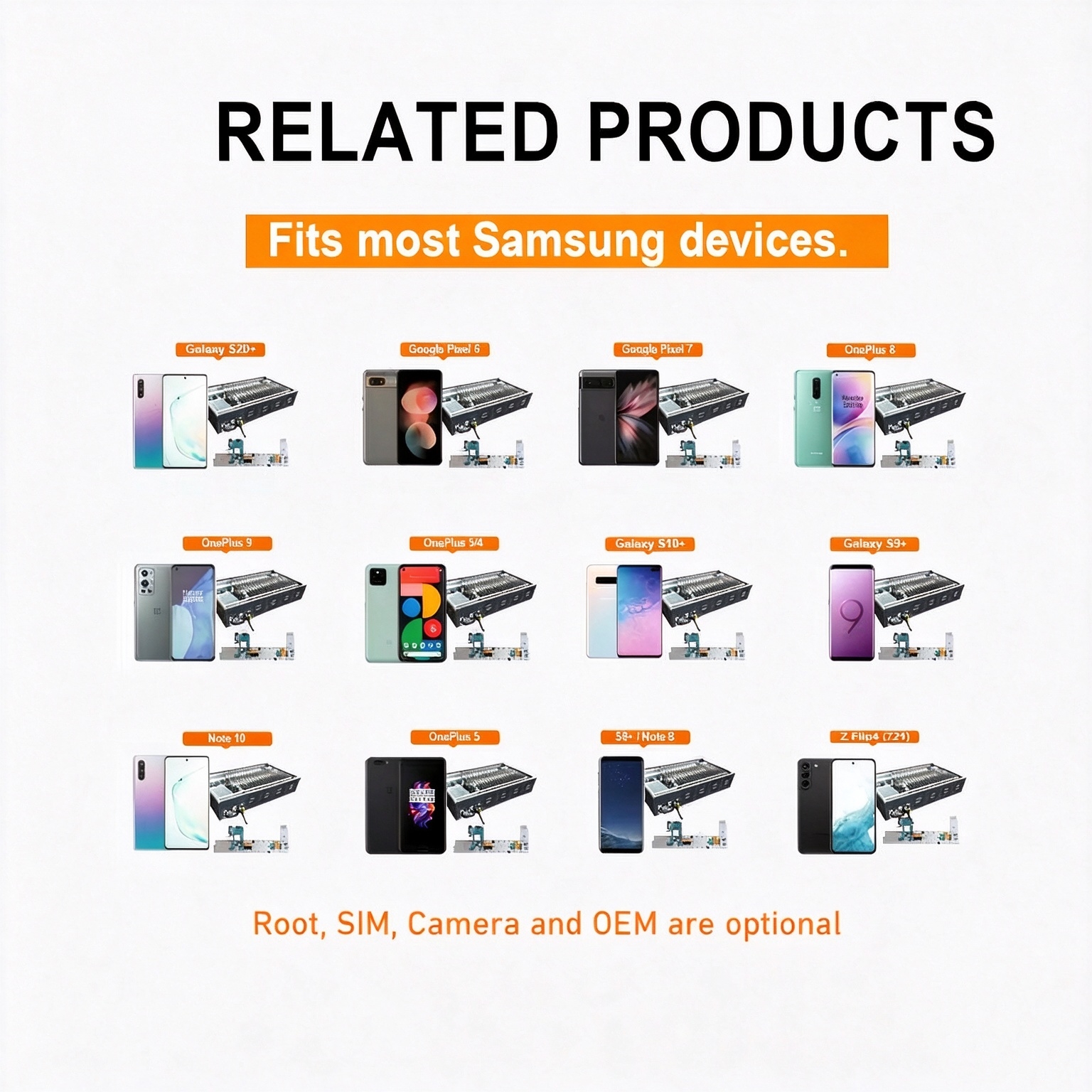
Supplier-provided series illustrations may show different Samsung configurations, software or options. Confirm the actual model and order contents. The standard kit excludes SIM and camera support.
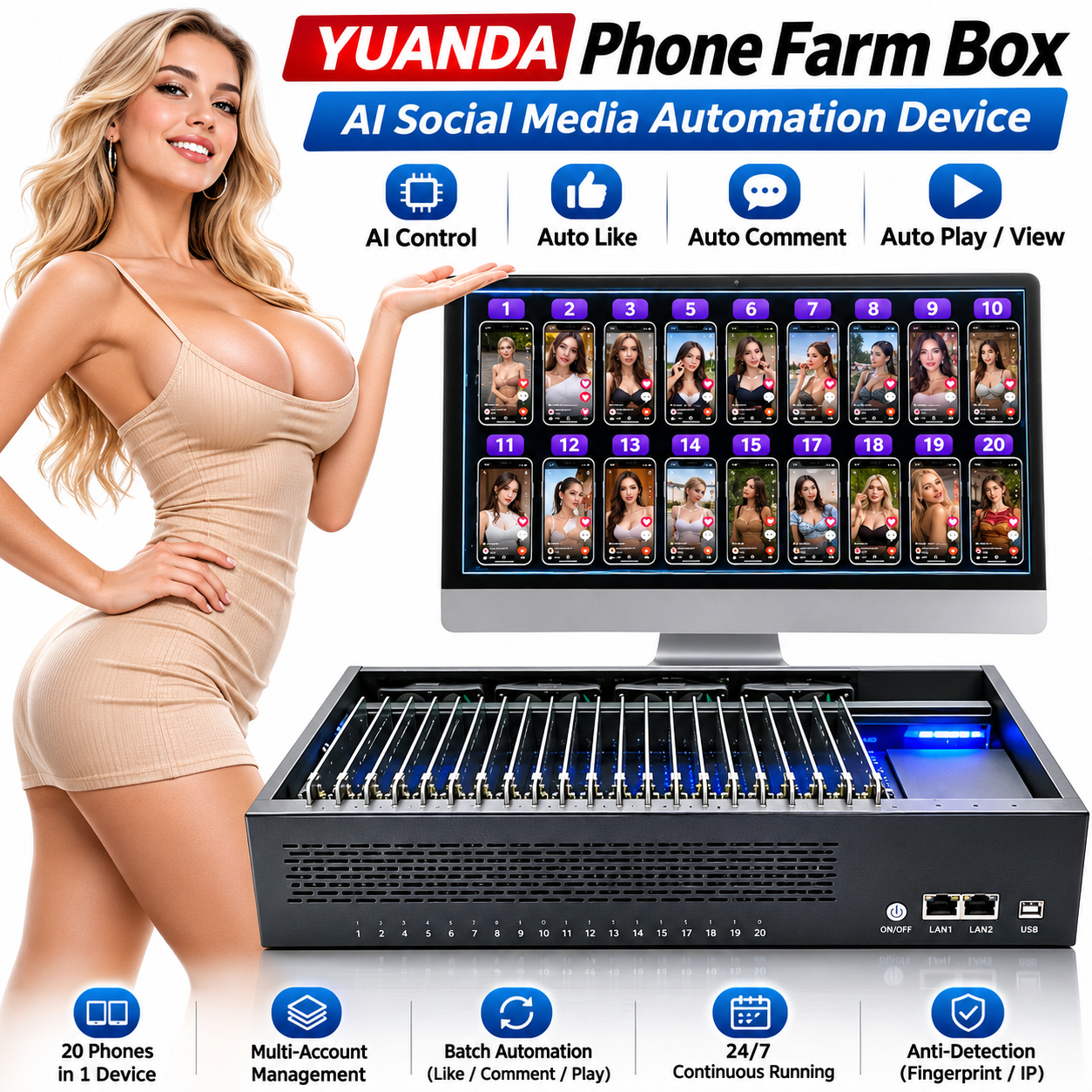
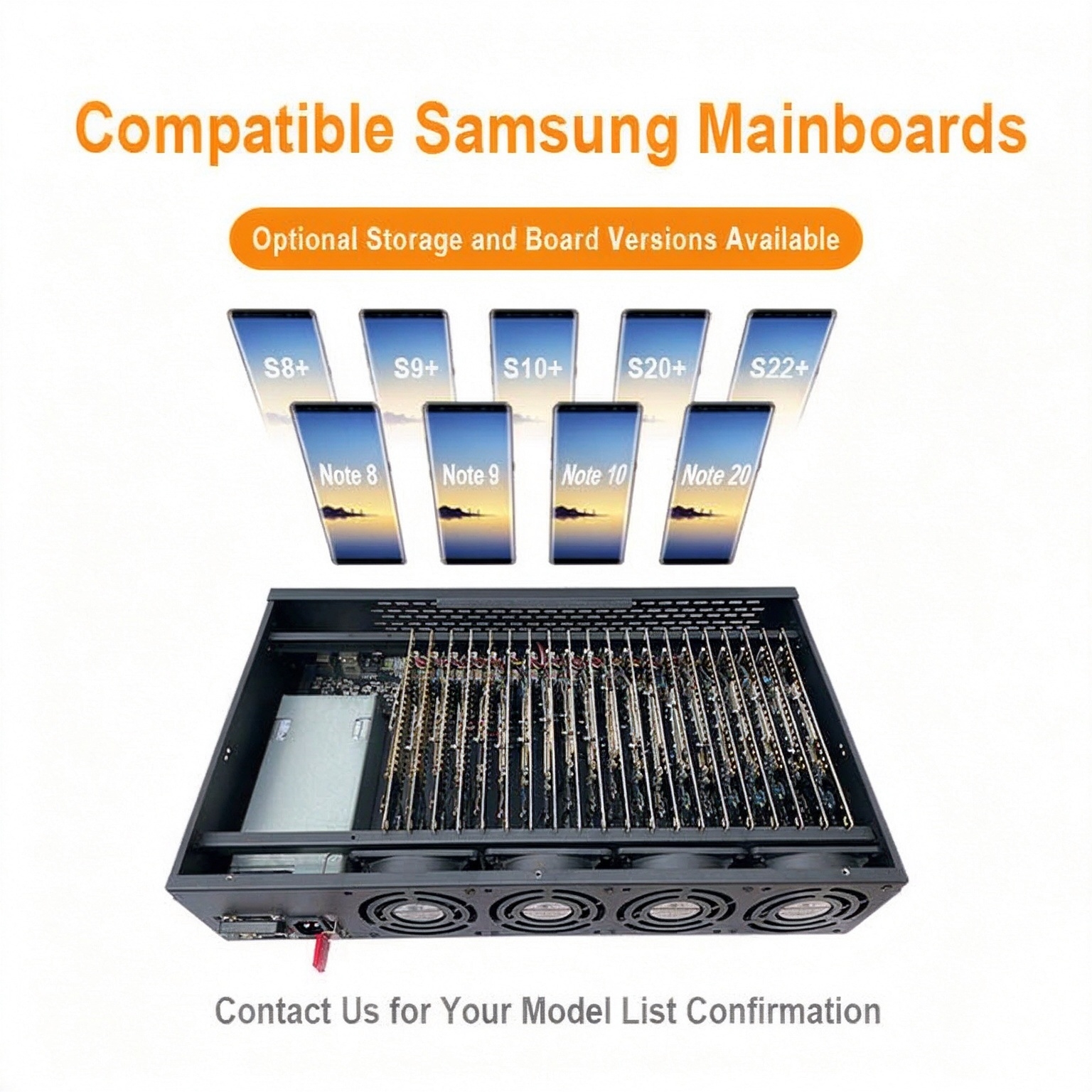
Choose the chassis for your workflow
The standard chassis has no SIM or camera support. If you need either function, request a separate SIM / Camera configuration for this model.
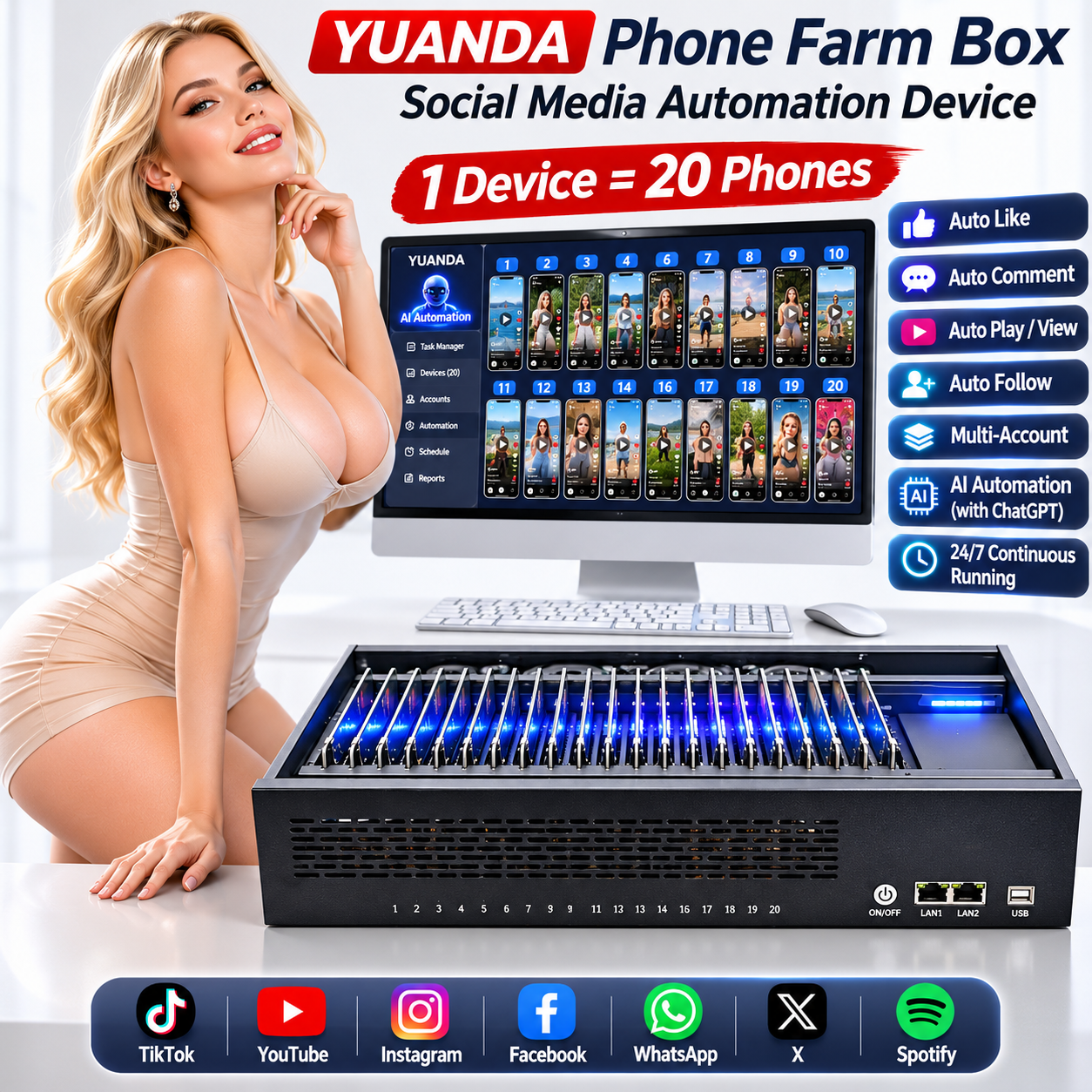
No SIM or camera support
20-Board Phone Farm Box for Spotify & Social Media Automation
20 boards. One compact workspace.
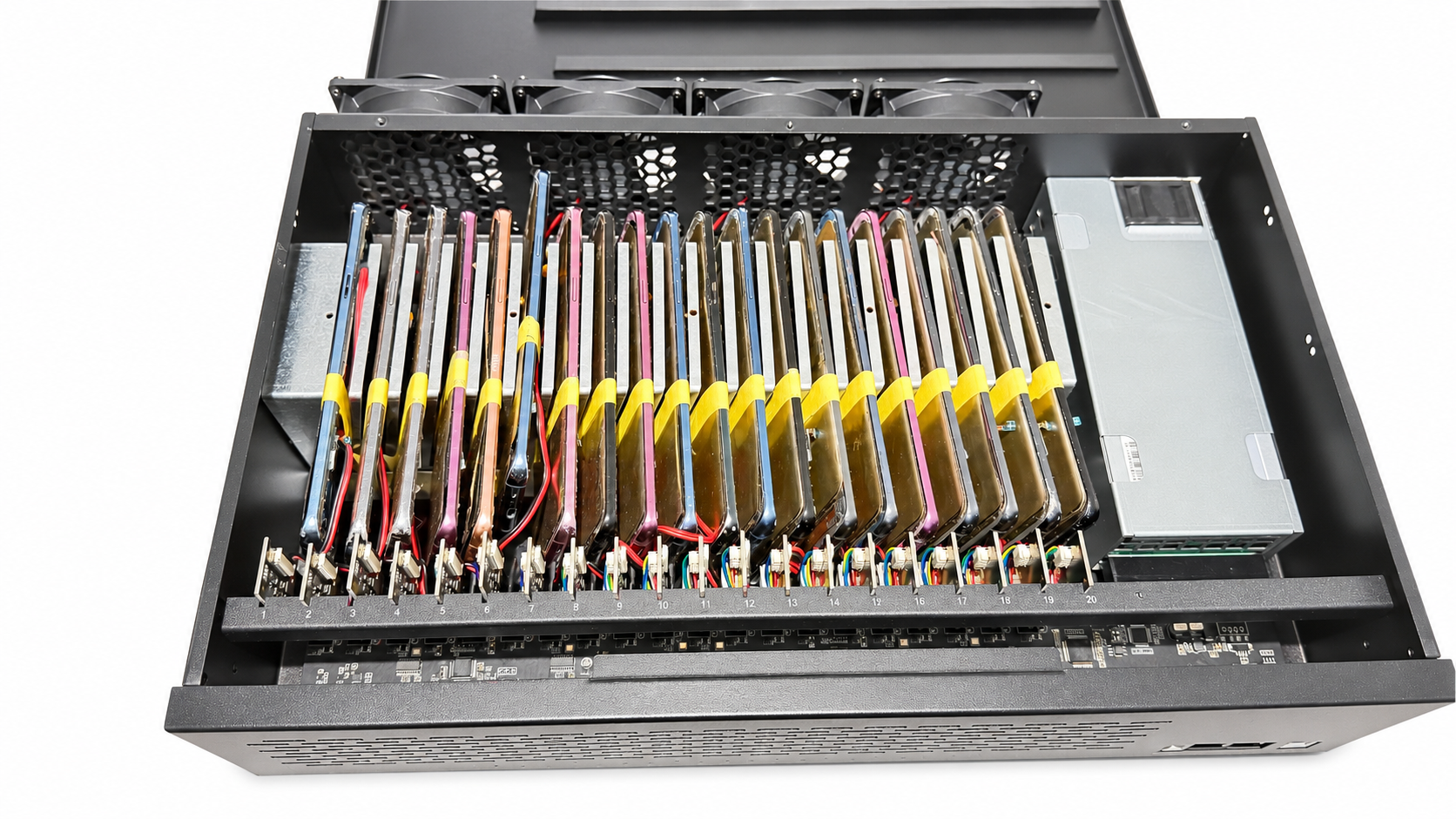
SIM / Camera configuration
SIM / Camera Phone Farm Box for Social Media Marketing
A different chassis. More configuration choices.
Explore other configurations
Xiaomi Mix 2Xiaomi Mix 2 Phone Farm Box | 20-Board Android Device Farm
6 GB + 64 GB
Standard quote basis: 20 phone motherboards + 1 standard chassis.
Request current pricing
Xiaomi 8 SEXiaomi 8 SE Phone Farm Box | 20-Board Android Device Farm
4 GB + 64 GB / 6 GB + 64 GB
Standard quote basis: 20 phone motherboards + 1 standard chassis.
Request current pricing
YUANDA applications
Phone farm workflows for your team
Explore real Android device workflows, compare hardware needs and prepare a configuration inquiry for your business.
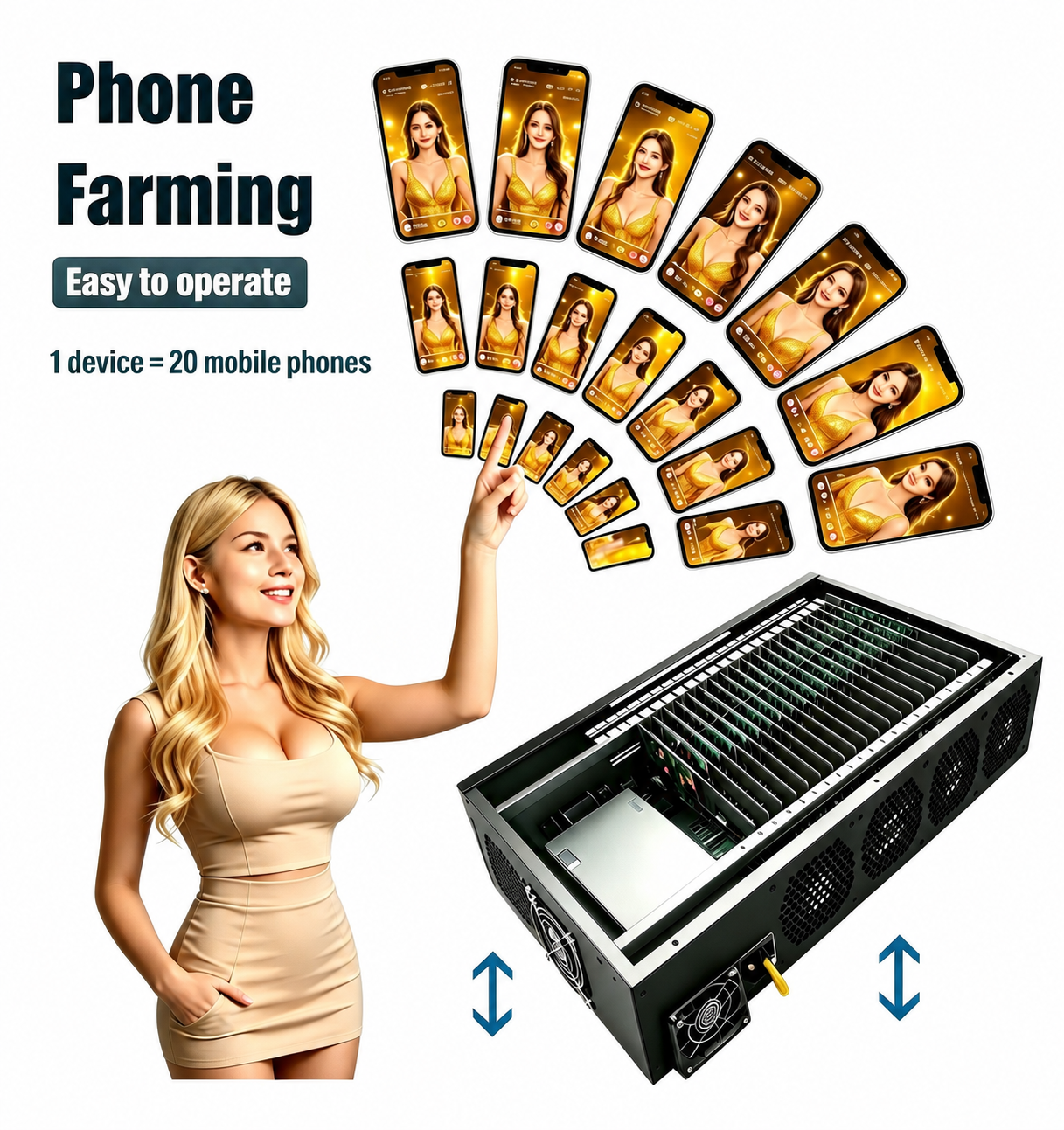
Phone Farm Devices for Spotify and Music Campaign Workflows
Plan Android hardware for authorized music campaign tasks, app checks and content review. Discuss Spotify workflow requirements and phone farm configuration.
Plan your configuration