YUANDA · Phone Farm Box

Auto.js Phone Farm Box Automation

Bring repeatable Android scripts to your phone farm box. Review Auto.js compatibility, scheduled tasks, permissions and a practical one-device-to-group rollout before automating your full phone cluster.

Phone automation clicker boxAndroid automation bot
Installed devices
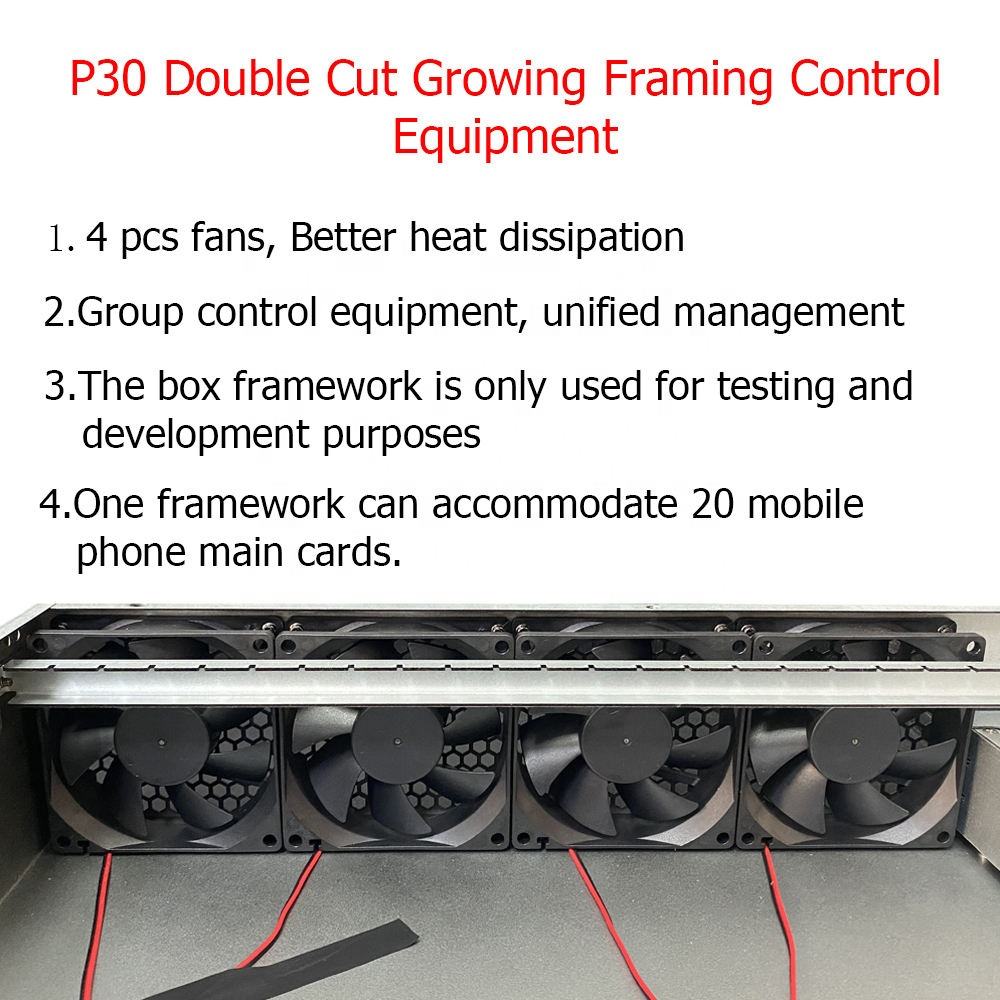
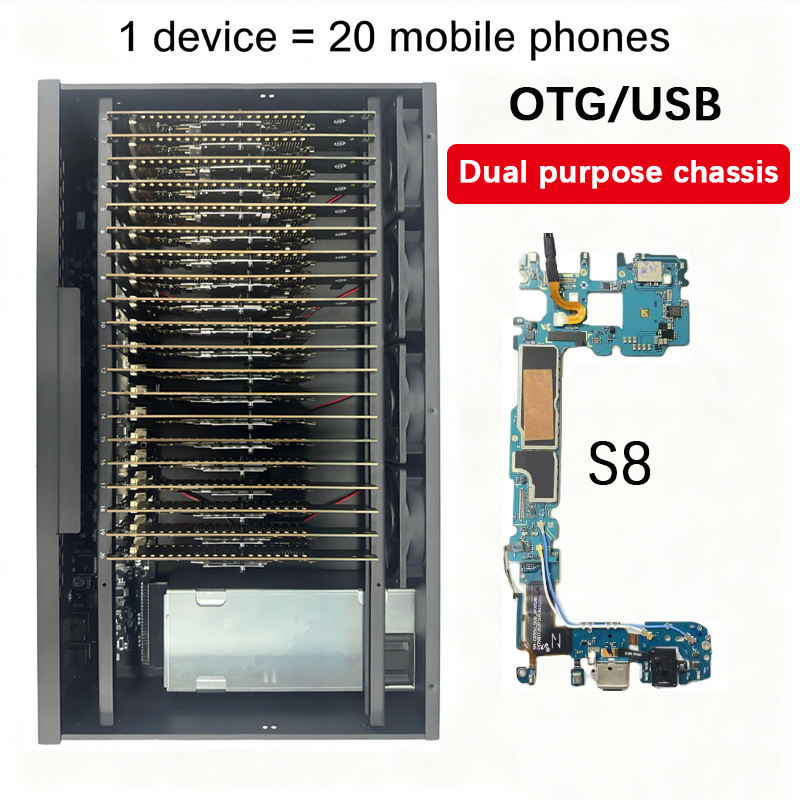
20 phone motherboards per standard box; confirm the selected configuration.
Input voltage
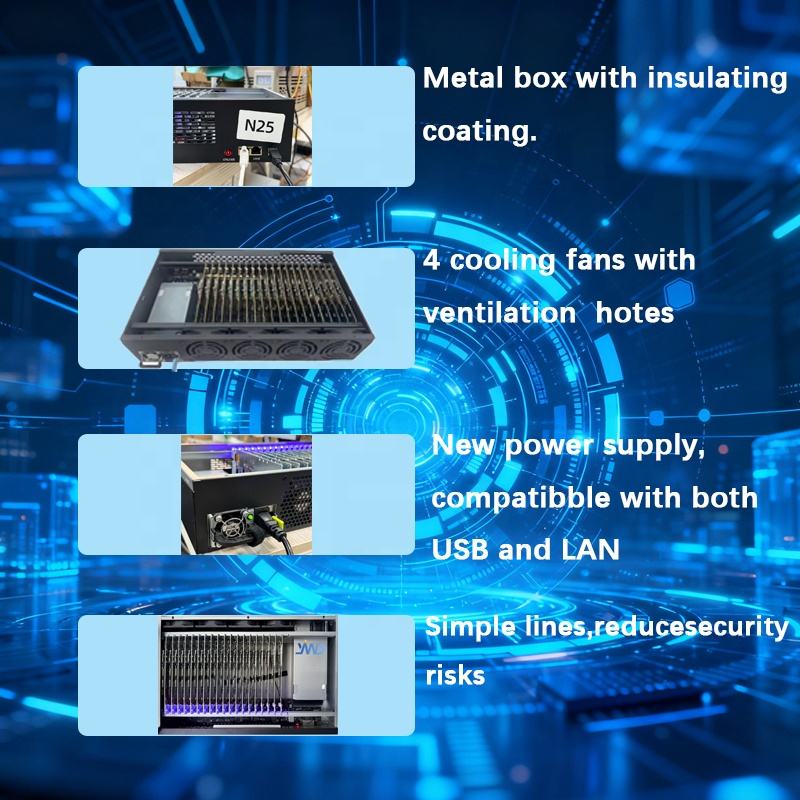
AC 110–220 V input. Different power plug specifications are available according to customer requirements.
Computer planning reference
3–5 boxes per PC, subject to computer, controller and network capacity.
Request current pricing

These pages describe uses and configuration options for the YUANDA 20-motherboard platform. Select the actual motherboard model, Android version and software in your quotation.

Phone Farm Box questions, answered

Can I run Auto.js scripts on a phone farm box?

Create reusable Android scripts for tapping, swiping, text entry and app workflows. Run supported Auto.js tasks on a selected phone or device group.

Run compatible Auto.js scripts and use supported task-management functions for scheduled or repeated operations. Scripts, permissions and app versions must be configured and tested for your chosen Android build; available automation depends on the installed software.
Can a phone farm box run scheduled or repeating tasks?

Run compatible Auto.js scripts and use supported task-management functions for scheduled or repeated operations. Scripts, permissions and app versions must be configured and tested for your chosen Android build; available automation depends on the installed software.
Does Auto.js automation on a phone farm box require root?

Root requirements depend on the Auto.js runtime, script and Android functions used. Confirm the permissions and root requirements of your actual script with YUANDA; root is not a universal requirement or a promise that every script will work.

How can I deploy automation scripts across a phone farm box?

Test your script on one compatible Android device first. Use the supported file-distribution and task-management tools to copy it to the selected devices, grant the required permissions and check a small batch before scheduling a larger run.

Will one Auto.js script work with every app on a phone farm box?

Confirm the motherboard model, RAM, storage, Android build, root requirements and optional modules before purchase. App compatibility depends on the app, its permissions and the selected Android environment. Tell us which apps and scripts you intend to use so the configuration can be checked.

Root requirements depend on the Auto.js runtime, script and Android functions used. Confirm the permissions and root requirements of your actual script with YUANDA; root is not a universal requirement or a promise that every script will work.

YUANDA

See the control software in action

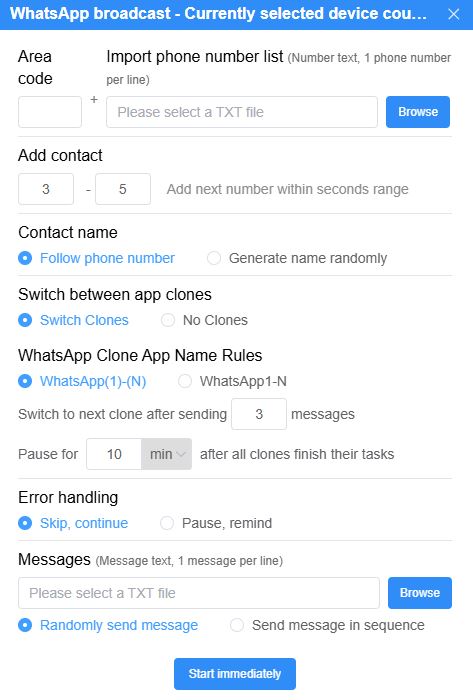
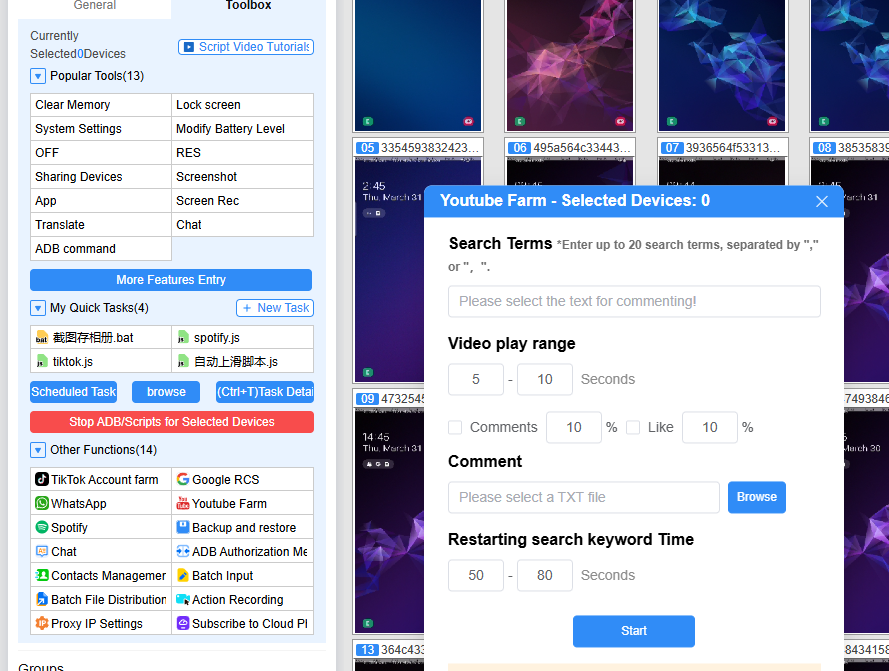
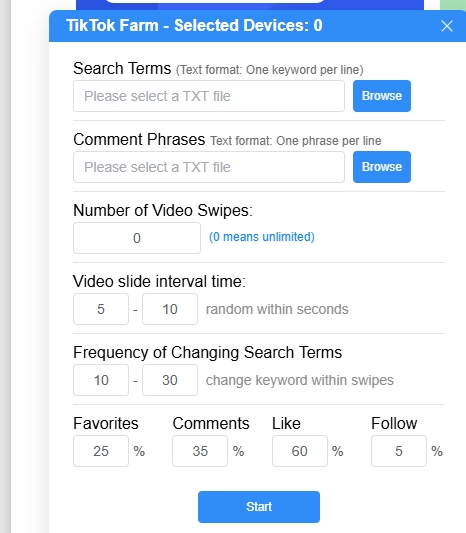
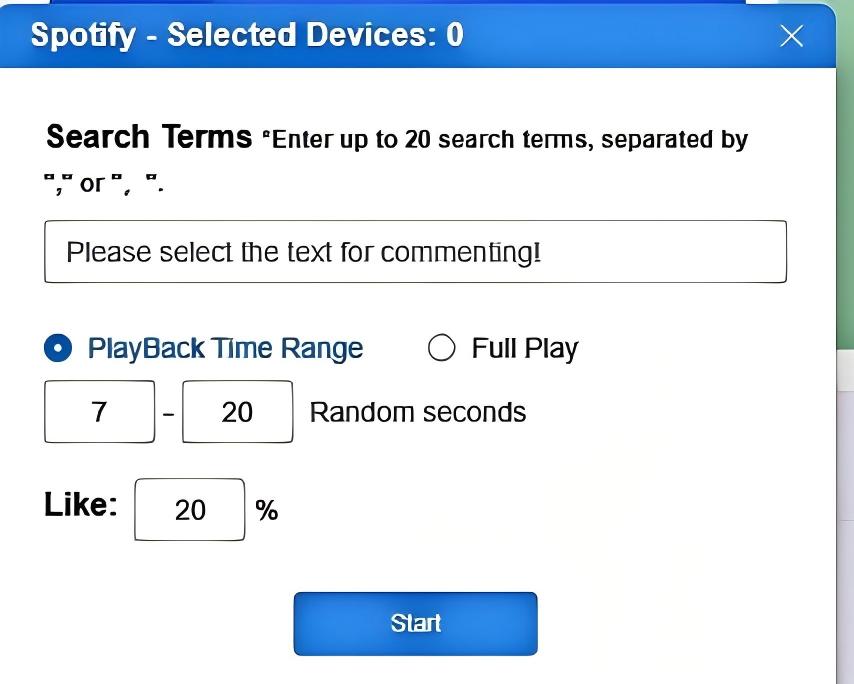
Actual YUANDA software screenshots show multi-device management and selected social media automation settings. Social media automation features are available in the paid version; supported tools also depend on the app version.

Software versions and language support

The control software supports 18 languages.

Free version

A free version is available. Social media automation features are provided in the paid version.

Paid version

US$43 / year

Includes social media automation features.

GETTING STARTED WITH YUANDA

Phone Farm Box basic operation demo

Watch the basic operation demonstration supplied by YUANDA, then ask us about the hardware and control software for your setup.

Open the demonstration video
Basic phone farm operation · 2 min 31 sec

YUANDA · Phone Farm Box

Find your Phone Farm Box setup

Explore 20-board hardware, phone clusters, AI control and practical deployment options. Choose the workflow you need, then confirm the motherboard and software configuration with YUANDA.

View all hardware
Real-Device Testing Phone Farm Box

Real-Device Testing Phone Farm Box

Set up a real Android device lab for compatibility checks, regression workflows and bug reproduction. Match motherboard models and Android versions to your test coverage, and identify tests that need components beyond a standard screenless box.

Explore hardware
USB / LAN / OTG Phone Farm Box

USB / LAN / OTG Phone Farm Box

Choose the right connection path for your phone farm box before installation. Compare direct USB control with supported OTG/LAN setups, plan router access and use the connection checklist when the PC cannot see every device.

Explore hardware

TALK DIRECTLY WITH YUANDA

Your next setup starts here.

Tell us your intended use, the apps or software you plan to install, the delivery destination and the number of phones required. We test the software and recommend different models and configurations for your budget.

Region & currency

Choose a country to suggest its currency. You can change the currency separately.

Showing prices in their original currencies.

Converted amounts are estimates. Your quotation confirms the final price, shipping and settlement currency.

The initial suggestion uses your browser's region setting. Your region and currency choices are remembered on this device.